If you cannot locate your MetaTrader password, it should have been sent to you by email when your account was opened. We recommend searching your inbox using your trading account number.
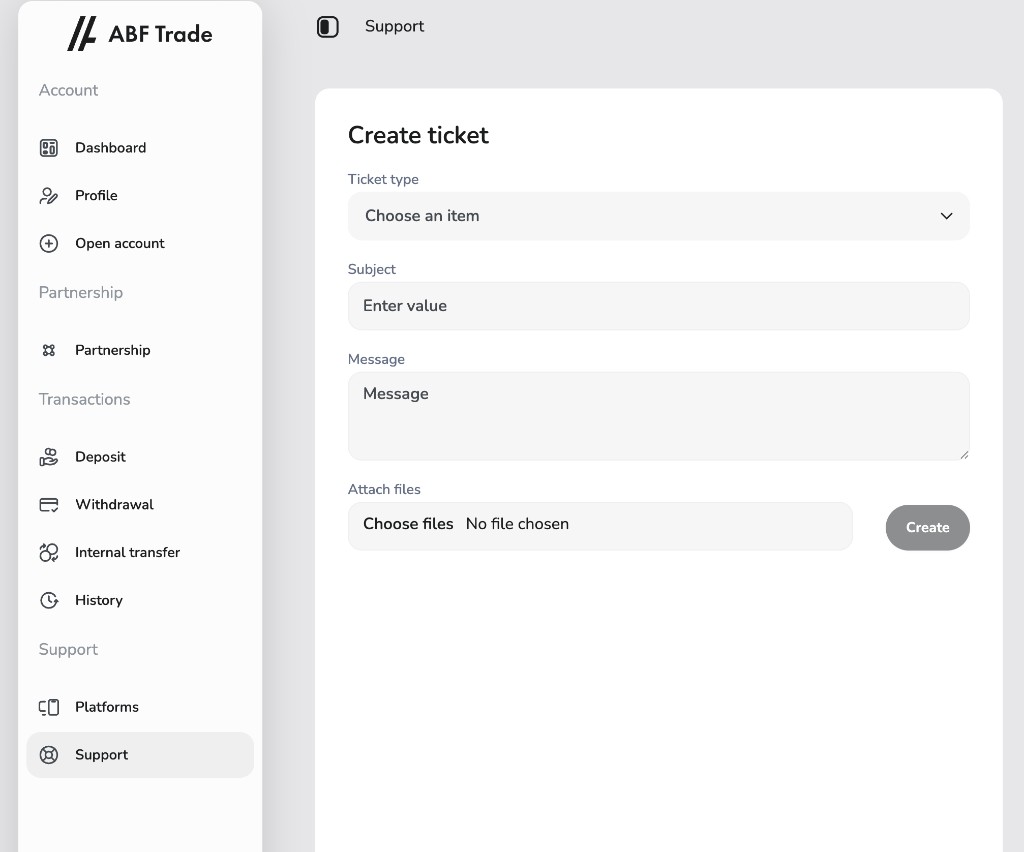
To change or reset the password for your trading account, log in to the ABF Trade client area. In the left-hand menu, open Support, then choose Support again to open the Create ticket page. Select a ticket type, enter a clear subject (for example, “MetaTrader password reset”), describe your request in the message field, attach files if helpful, and click Create. Our team will process your ticket and set a new trading password for you.
If you are unable to log in to the client area, you can reset your client-area password using the “Forgot your password” link on the login page.
If you have any difficulty with these steps or need further help accessing your trading account, reply to your ticket or contact client support and we will assist you.


